
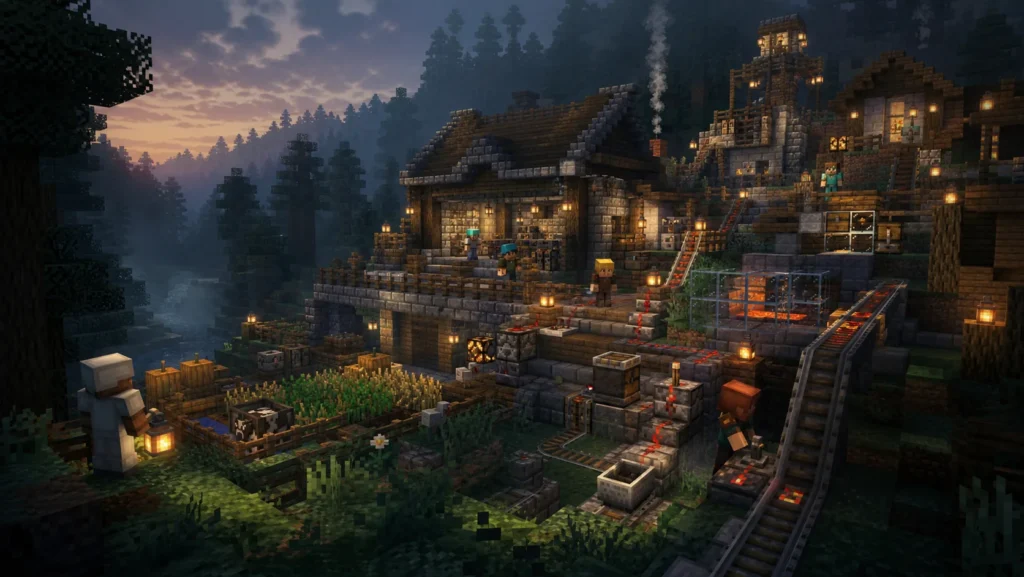
Create is not a classic technology mode in which cables invisibly push energy into machines. Almost everything moves visibly: shafts rotate, gears translate, belts transport objects and machines burden the common drive network. This makes mistakes easier to understand if you start the plant small and test every step.
This guide will guide you through the basics. Recipes and available components may vary depending on the Minecraft, Loader and Create versions. For the FLN server always the one on the Minecraft-Serverseite the modpack stand.
Practice
Rounding instead of theory
The guide focuses on typical hurdles in real multiplayer.
Context
Global and FLN
General mechanics and server-specific instructions remain distinguishable.
Further information
Next step
Appropriate server, community and support channels are linked in the text.
Vorbereitung
Don’t start with a huge factory. For the initial tests, you’ll need a free surface, a simple rotation source, shafts, Cogwheels, and some blocks for transport or processing. Use the Create Goggles when they are available in the modpack. They display information on speed, load and connected components directly.
Create entry and exit boxes separately. This allows you to see whether items are arriving and whether the processing is actually running. Also, build an access to the drive shaft. A completely walled machine looks clean, but is unnecessarily laborious in the first disturbance.
Rotation erzeugen
A Create plant starts with a rotation source. For entry, a water wheel is often well-suited: water drives the wheel, the wheel passes on rotation to a shaft. Other sources work on the same basic principle, but differ in effort, performance and control.
After the bodywork, check if the shaft is visibly rotating. If not, control alignment, water direction, and connection. Don’t attach a complete factory to a source that you haven’t tested individually.
Shafts and gears
Shafts Transfer rotation straight ahead. Cogwheels transmit them laterally and can change the direction of rotation. Large and small gears enable translations: The system can run faster or slower, but then loads the system accordingly.
Pay attention to the axis of a component. Many problems do not arise from a lack of performance, but from a 90-degree incorrect orientation. First set a component freely visible, check its rotation and only then cover it.
Gears are also a good mechanical separation. If two shafts are not in the same line, you can connect them via matching Cogwheels. Nevertheless, keep the transmission clear. A labyrinth of gears makes any subsequent change more difficult.
Speed and direction of rotation
Some machines run at a low speed, others only become practical at a higher speed. However, more speed does not automatically mean more production. It often increases the load and can overwhelm follow-up processes.
Test a new speed with a few items. Observe whether belts, presses and outlets fit together. When a process produces faster than the next section decreases, backlogs are created. This is not always bad, but should be deliberately planned.
The direction of rotation affects belts and moving components. If a belt runs incorrectly, do not immediately change the whole system. First, check where the rotation was reversed. An additional pair of gears or a changed connection can correct the direction.
Stress verstehen
Create uses a loading system. The rotation source shall represent: Stress Capacity bereit, Maschinen verbrauchen Stress Units. If the available capacity is exceeded, the network stops.
The load depends not only on the number of machines. The rotational speed also plays a role. A single fast-running machine can load the network more than several slow components. Use the Goggles or existing displays to check capacity and current load.
If the network is overloaded, you have three clean options:
- provide additional or stronger sources of rotation;
- Drehzahl reduzieren,
- Distribute consumers on separate networks.
Do not remove components indiscriminately until it runs again. Search the consumer or the translation that causes the jump.
Items transportieren
Mechanical Belts transport items horizontally and can connect several work steps. Depots hold individual items at a defined point. Funnels give items controlled on belts or take them off. Chutes are suitable for vertical transport.
First, build a stretch from box to box. Then test how items get on the belt and are taken off at the end. Only when the transport works reliably, you put a machine in between.
Look for filters. An attachment that accepts any item can be blocked by a wrong item. Filters at inputs and outputs keep production chains stable and make clear what a section is intended for.
Erste kleine Produktionskette
As the first project, a simple press line is suitable:
- A box provides the starting material.
- A funnel puts items on a belt.
- The belt passes under a mechanical press.
- A depot or defined processing point ensures the correct position.
- The processed article runs into a separate output box.
Connect the press to the same rotary net as the Belt. Start slowly and insert only a few items. Check if the press is working at the right moment and the product reaches the exit. Then you can adjust speed, buffers and filters.
Label the entry and exit boxes. If you add further steps later, you immediately recognize which intermediate products are produced where. A clean small plant is the basis for a larger factory.
Serverfreundlich bauen
On a multiplayer server, not only the maximum production rate counts. Create creates moving components, transported items and loaded areas. Many permanently active systems can cost performance and affect other players.
Good practice:
- Shut down or uncouple installations if they do not have to run permanently.
- Avoid loose items and secure exits against overflow.
- Test large moving constructions small first.
- Use chunkloaders and permanently loaded factories according to the server rules.
- Vote on common infrastructure before rebuilding.
- Build machines in such a way that propulsion and material flow remain accessible.
“Server friendly” does not automatically mean small. It means controlled, comprehensible and appropriate to the actual need.
Fehlersuche
Nothing turns: Test the rotation source, alignment and direct connection.
One part is wrong: Control direction of rotation at the last gear connection.
The whole network stops: Check stress capacity and speed; separate the network into sections as a test.
Items bleiben liegen: Check Belt Direction, Funnel Alignment, Filter and Free Output.
Machine does not work: Check recipe, item position, speed and required component.
The server is nearby: Stop attachment, remove loose items, and work with the server team to narrow down the eye-catching section.
For modpack or version-related problems, the path leads to Technical problems. For a joint construction project you will find about Find players other players.
Frequent questions about Minecraft Create
What do I need before starting a Create project?
Check Minecraft version, modpack and current server status. Build the first mechanics on a small test area and clarify whether you connect to an existing network. The Minecraft-Serverseite Leads to the appropriate project.
What is the difference between speed and stress?
Speed describes how fast a system moves; stress shows how heavily the drive is loaded. More speed therefore does not automatically solve every problem. Plan translation and available capacity together before you connect more machines.
Which machine is suitable as the first Create project?
A small, clearly limited production chain is ideal, such as processing and transporting a frequently needed material. You get to know the drive, shafts, gears, filters and outputs without immediately touching the infrastructure of other players.
How do I build server-friendly with Create?
Avoid permanently active systems without utility, unnecessary item stacks and uncontrolled loops. Switch off systems if necessary, keep transport routes traceable and test extensions step by step. This protects performance and makes errors easier for everyone to find.
Can I rebuild an existing joint factory?
Small repairs are different from a basic remodel. Cancel major changes, secure the ongoing material flow and document new connections. Over Find players You can also start a joint technical project.
How do chunkloaders affect the server?
Permanently loaded areas increase the server load. Uses it in a targeted manner, limits unnecessary constructions and coordinates large plants with the team.
How are backups planned for a Create world?
Secures regularly and additionally before Modpack or version changes. A recovery should be tested occasionally.
Can I plan a larger Create project with Frontline?
Yes. Describes number of players, modpack, construction goals and desired running time. We help with community structure and suitable server operation.
Build machines that others can continue to build
Create is at its strongest when a plant not only looks impressive, but functions as part of a common world. Leave drive, maintenance points and material flow visible. Label important inputs and outputs and test new mechanics first in a small area. This allows players to understand, repair and expand what you have built.
A good community factory tells its own story: first hand crank, stable power source, automated processing and finally a network of transport routes. You don’t have to plan the perfect megabase right away. A comprehensible next step often brings the server more than a huge, copied construction.
Start your next Create project
Check Minecraft server, modpack and join informationBefore you prepare versions or blueprints.
If a machine, mod, or connection setup is causing problems, the site helps Technical problems beim sauberen Eingrenzen.
Impressions
No comments yet
Comments add to the contribution. For support, reports or exile, please use the appropriate professional route.
Log in to comment
Comments run through your central customer account. Sign in or create an account by email or Discord; then you will come back to this post directly.